
Cursor incident: one exposed vendor key, then a poisoned extension
Cursor's incident update traces a tampered Claude Code extension back to an access key held by a vendor and to credentials left unredacted in coding agent traces and support emails. How the chain worked, what the extension did, and what to rotate.
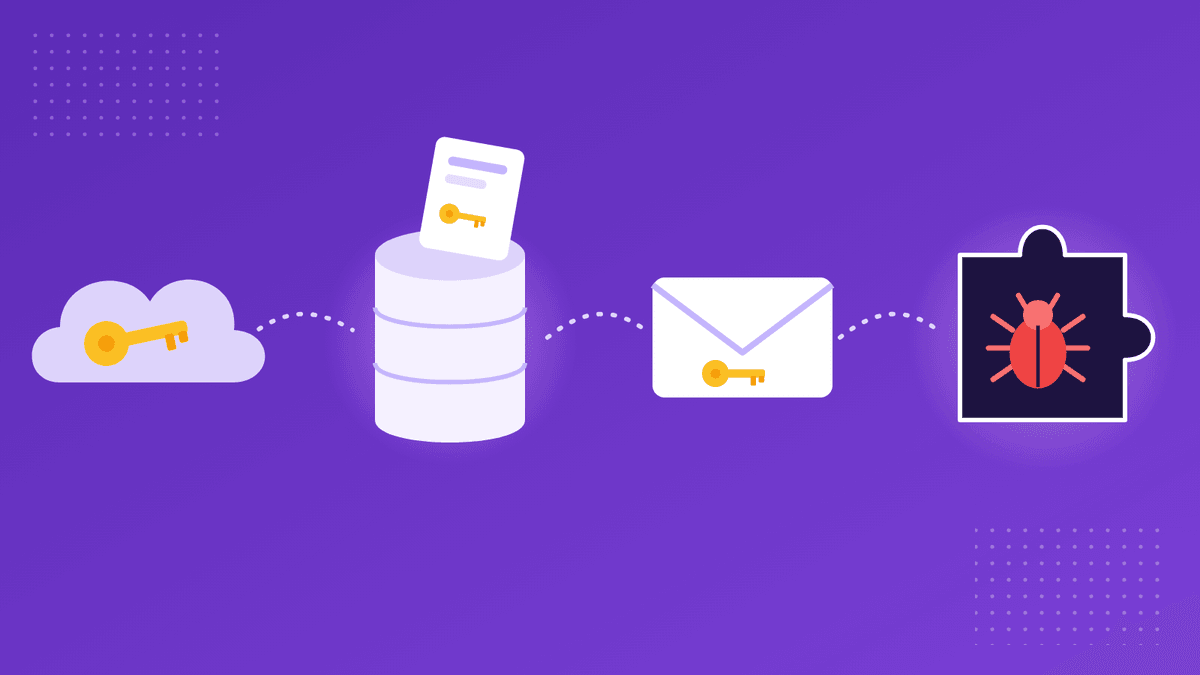
What we know as of November 16, 2026, from Cursor's incident update of November 13, 2026 and its security notice of October 29, 2026. Figures are theirs.
On October 29, Cursor warned users that a tampered copy of Anthropic's Claude Code extension had appeared in the Cursor VS Code extension marketplace. Two weeks later, the company published the chain of events behind it. It is worth reading slowly, because the malicious extension was the last link in that chain, not the first. Every step before it ran on a credential that had been handed to someone, pasted somewhere or left in a place it was not meant to stay.
How did one vendor key turn into a poisoned extension?
According to Cursor's update, the incident started at one of its vendors. Cursor had issued an access key to Fireworks, a training and inference vendor, and used a read-only storage bucket to share data with it. Cursor says that key was exposed by Fireworks, and that an attacker used it to copy data from the bucket. The bucket held coding agent traces, mostly from 2025, taken from sessions that were not in Privacy Mode and that Cursor was permitted to use for model training.
Some of those traces contained credentials that had not been redacted. Cursor puts the share of customers whose API credentials were exposed this way at less than 0.01%. Starting from those credentials, the company says, the attacker reached select SaaS tools that Cursor uses, and from there accessed archived non-production source code repositories, limited customer support data and email conversations, product usage metrics and contact details, summaries of some coding agent conversations, and some credentials that users had sent to Cursor's support team.
Then came the visible part. On October 29, using a credential taken from the exposed data, the attacker placed malicious copies of the Claude Code extension, versions 2.1.312 and 2.1.313, directly on the cache that serves Cursor's extension marketplace. Cursor stresses that Anthropic did not publish this copy, that it was not a vulnerability in Anthropic's product, and that the upstream source, Open VSX, did not carry the malware. The company says at most 5,000 users who requested those cached versions may have received the malicious build, which was available for about 11 hours.
What did the malicious extension try to do?
Cursor's October 29 notice describes a payload built for persistence. It collected host and user details, including the hostname, username, operating system, home directory path, the names of environment variables, working directories, the configured Git email and the public IP address. It then tried to add an attacker-controlled SSH key to the machine's authorized keys, enable the local SSH service and open a reverse SSH tunnel back to the attacker, with a LaunchAgent on macOS or a scheduled task on Windows to keep retrying it about every 60 seconds.
The notice is careful about how far that got. Turning on the local SSH service needs administrator rights, which the extension did not have on most macOS and Windows hosts, so on those machines that step failed and, according to Cursor, the attacker could not have logged in through the tunnel. The SSH key, the persistence scripts and the host report were still installed or sent. Cursor worked with the hosting provider to take the attacker's server offline, and it notes that uninstalling the extension may not be enough, because the payload drops standalone scripts that keep running.
Its advice for anyone who installed those versions in the window is to check for the attacker's key (it is labelled svc-telemetry), remove the key and persistence, consider rebuilding the host, and rotate credentials and sessions reachable from it, from a trusted system. The notice adds that the limited collection of environment variable names does not rule out later credential access over the backdoor.
Where were the credentials sitting?
Read as a credentials story, the update has three places where secrets were resting long after the moment they were needed. The first is the vendor key: an access key held outside the company that issued it. The second is the agent traces: credentials that users or their tools had put into coding sessions, which were kept, shared with a vendor for training, and not fully redacted. The third is the support inbox: Cursor says some credentials users had sent to its support team were among the data the attacker accessed.
None of these is unusual. Developers paste keys into an AI assistant to debug a failing call. Customers paste a token into a support ticket because the agent asked to reproduce a problem. Companies give vendors keys so a data pipeline can run. In each case the credential was needed for a moment and then stayed where it was, in a trace file, in an email thread or in a vendor's environment, available to whoever got in next.
What has Cursor changed, and what should you check?
Cursor says it has moved all inference off Fireworks, deactivated the key it had issued, and cut off the vendor's access to the shared data. It rotated every exposed credential it found, highest risk first, and then rotated all credentials in use across its internal systems as a precaution. It also added network restrictions, where its providers allow them, so that compromised credentials cannot be used outside their intended location, added secret scanning across its code repositories and other internal data sources, redeployed production infrastructure, rebuilt its extension marketplace and brought in external forensics experts. The company believes the incident is contained, says the last attacker activity it saw was on November 1 and was blocked, and says it has contacted each affected customer directly. Where customer credentials were exposed, it emailed team admins a list of the specific keys to rotate.
If you use Cursor, the first step is to act on any notice you received and, if you installed either tampered version on October 29, to follow the checks in Cursor's security notice. Cursor says that users not in Privacy Mode who did not get a notification were not in the exposed traces.
The wider lesson applies to every tool that keeps a record of what you type into it. If a credential has gone into an AI coding session, a support ticket or a vendor's environment, treat that as a copy you no longer control, and rotate it unless you are confident the copy is gone. When someone genuinely needs a key, give it to them in a channel that does not keep it: an encrypted link that expires, as described in our guide to sharing an API key, rather than a chat message or ticket that sits in history. (Shares created from Slack are encrypted on CredenShare's servers rather than in the browser.) And for keys that do have to live with a vendor, keep their scope narrow and their lifetime short; our post on the LiteLLM key that was deleted but not revoked shows how long a forgotten key can stay useful.
Sources (checked on November 16, 2026):
Cursor: An update on our recent security incident (November 13, 2026); Cursor: Security notice, malicious version of Anthropic.claude-code 2.1.312 and 2.1.313 (October 29, 2026)
Product names are trademarks of their respective owners. CredenShare is not affiliated with them.
Hand a key over without leaving a copy in history
Free plan: 3 shares a day, encrypted in your browser.
Written by
CredenShare
The CredenShare team writes about secure credential sharing, password management, and enterprise security best practices.